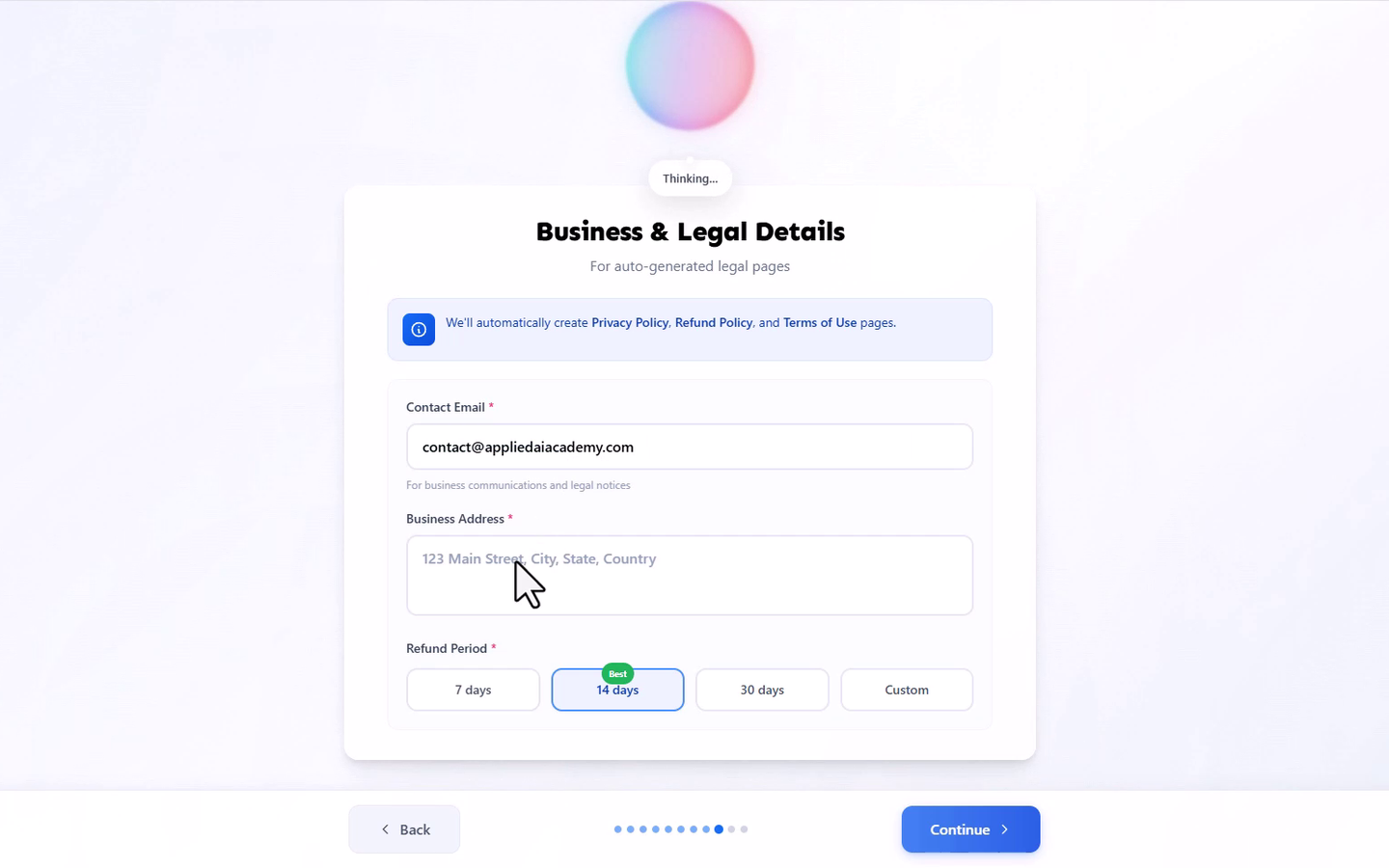
This article covers your Business and Legal Details, the required information the AI Onboarding Wizard uses to generate your Learning Hub's legal pages.
On the "Business & Legal Details" screen, enter your Contact Email, required. This is used for business communications and legal notices.
Enter your Business Address, required. This can be your home address if you're operating your course business from home.
Choose your Refund Period, required: 7 days, 14 days, or 30 days, or set a custom period. This is the refund window you're offering students on the courses you sell, not a refund policy for your Learmo subscription. 14 days is marked as the recommended default, but you can choose any option.
Once you finish this step, Learmo automatically generates three pages from what you entered, and publishes them as live pages on your Learning Hub, not placeholder text:
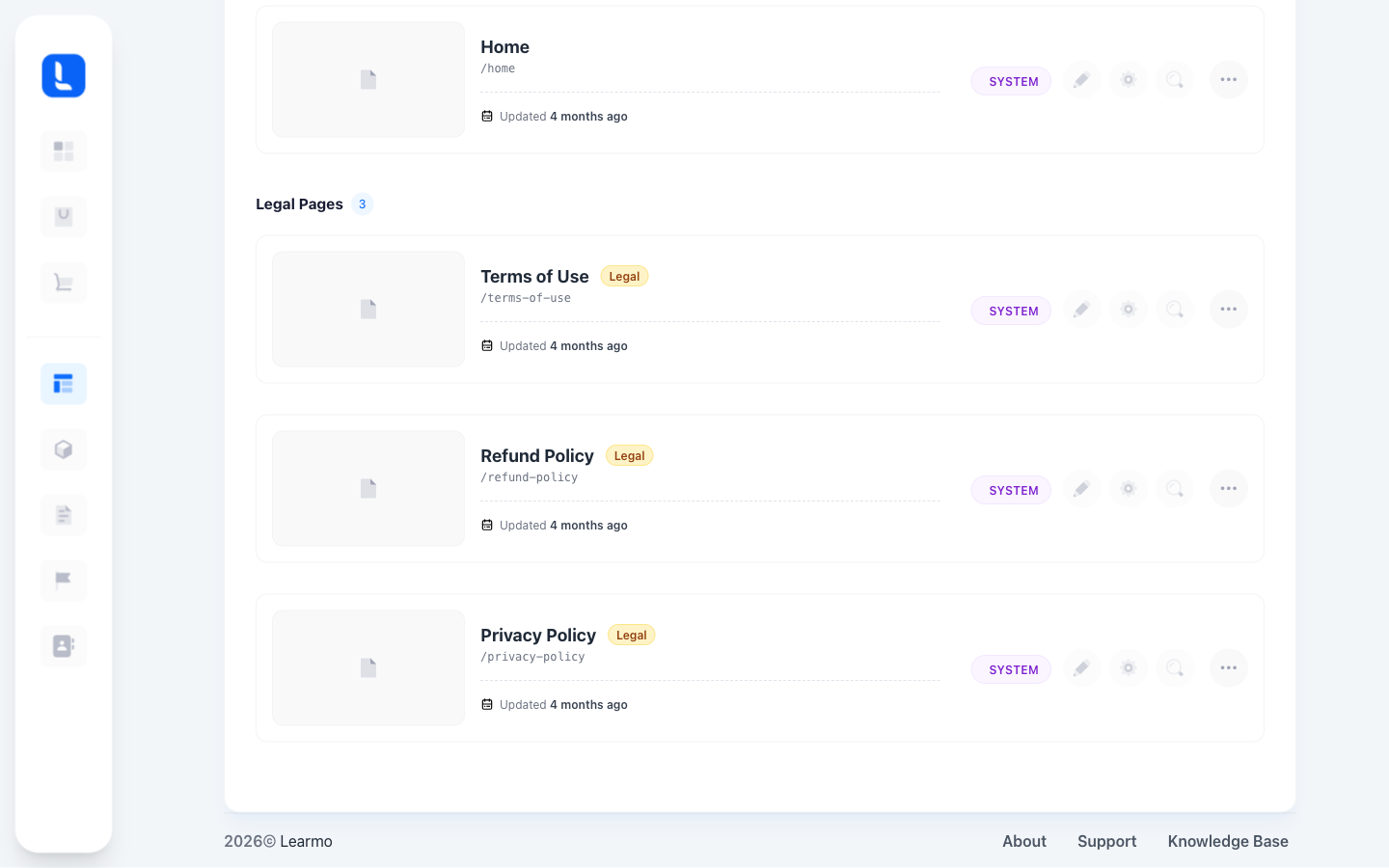
Privacy Policy - tells visitors and students what personal information your Learning Hub collects and how it's used.
Refund Policy - tells students the refund window you're offering on your courses, built directly from the Refund Period you chose.
Terms of Use - sets the rules students agree to when using your Learning Hub, such as how your courses and content may be used.
Note: These auto-generated pages are templates meant to give you a working starting point, not personalized legal advice. Legal requirements vary depending on where you and your students are based and how your business operates, so we recommend having a qualified legal professional review and customize them before you rely on them.
These pages can be reviewed and edited later from your Dashboard, under Website > Pages, in the Legal Pages section, each marked System. Changes made there update the live pages on your Learning Hub.